
Overview
The Client ID generated when getting the Google Workspace API key has to be used to enable domain wide delegation as mentioned below.
Steps
Login to G-suite Admin account and navigate to Google Admin.
Http link: https://admin.google.com
a. Click on Security
b. Select on Access and data control
c. Click on API controls
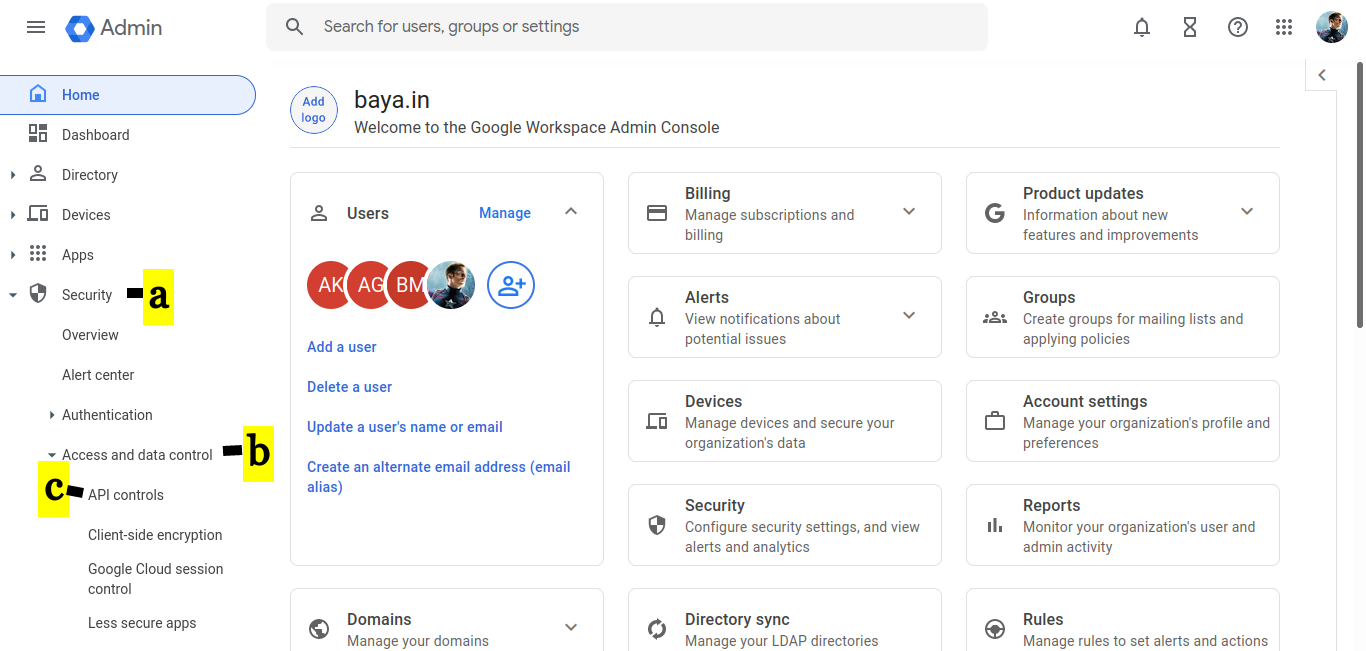
d. Click On MANAGE DOMAIN WIDE DELEGATION
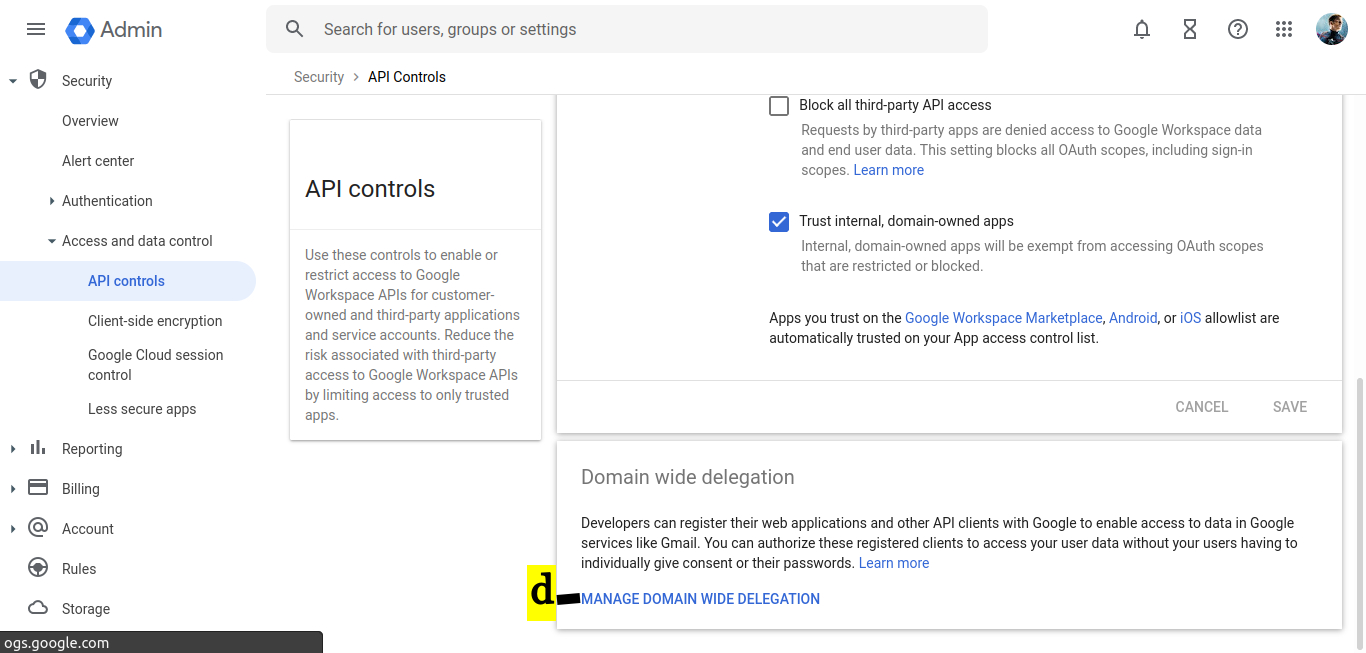
e. Click on Add new
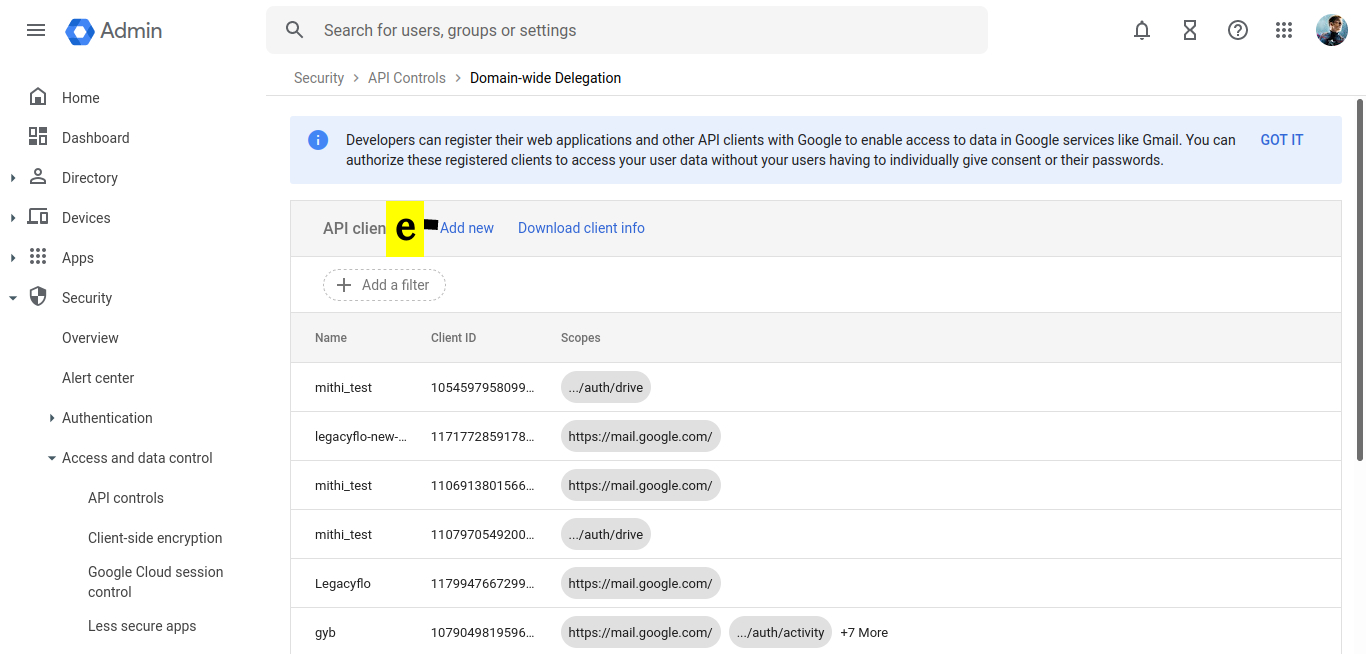
f. Paste the Client ID when getting the API access
g. In OAuth scopes (comma-delimited), provide the string for the relevant API
h. Click the AUTHORIZE button
| GDrive API | https://www.googleapis.com/auth/drive (Required if you want to access data in any user's drive AND if you want to archive Google Chat transcripts ) | ![]() |
| Admin SDK API | https://www.googleapis.com/auth/admin.directory.group.readonly (Required if you want to use Distribution List ID in the LegacyFlo Scheduler) https://www.googleapis.com/auth/admin.directory.user.readonly (Required if you want to archive Google Chat transcripts) https://www.googleapis.com/auth/admin.reports.usage.readonly (Required to calculate mailbox size for mailbox data migration) | ![]() |
| Gmail API | https://mail.google.com/ (Required if you want to access data in any user's mailbox ) | ![]() |
| Google Chat API | https://www.googleapis.com/auth/chat.spaces.readonly https://www.googleapis.com/auth/chat.messages.readonly https://www.googleapis.com/auth/chat.memberships.readonly (Required if you want to access Google Chat transcripts) | ![]() |
This completes the process of enabling the domain-wide delegation for GSuite for the required API


